Overview
LabBook is a free Electronic Laboratory Notebook (ELN). Think of it as a 'smart' text editor with specific functions for experimentalists in general, and neuroscientists and neurophysiologists in particular. It has customizable data entry features for experiment notes and events, and a graphical electrode turning tool for electrophysiology. It can also interface with (2-way!: receive/standardize information from, and send commands to) various data acquisition programs such as our ZTracker video tracker, the Cheetah data acquisition system, Matlab, Excel and other programs that are running in parallel. Labbook allows each lab to standardize and simplify experiment note taking according to the specifics of each experiments. It facilitates long term data analyses/mining and management.
Click here to Download LabBook. The current version is 2.64 as of 10/4/2024. Unzip, and run setup.exe.
See notes at the bottom of this page for trouble shooting information.
For more information, please see the LabBook manual and tutorial (RTF format or HTML format) (up-to-date version is included in the distribution).
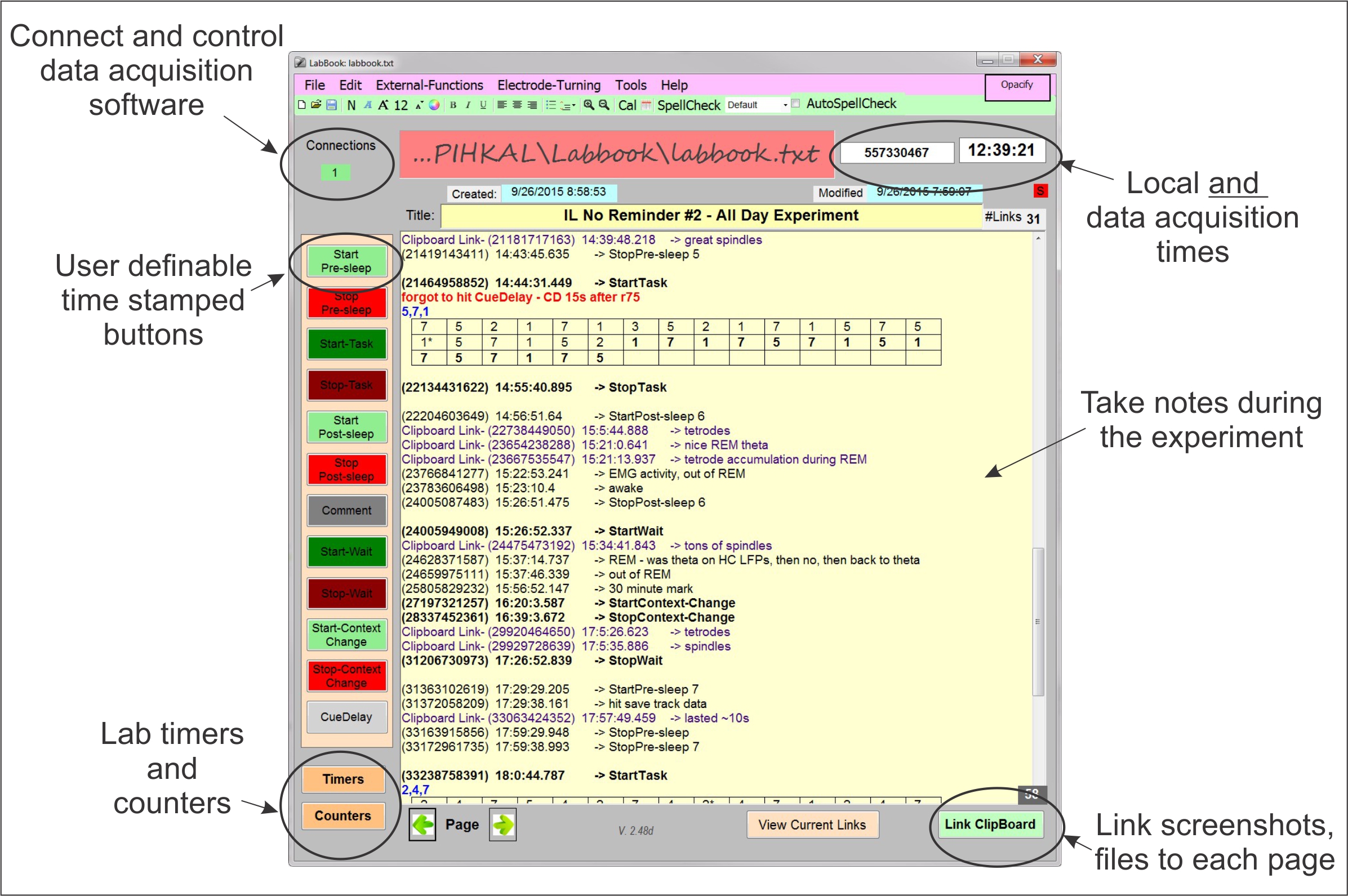
Operations - Quick-tour:
- Notes are added on the main page.
- Pages can follow user-defined templates, to standardize note taking, make sure all important information are recorded every day.
- Buttons on the left side can be customized with user-defined standard text to add timestamped events to the main page.
- Each page can have a different date and title, making it easy to find notes from previous sessions.
- Screenshots and other images can be linked to the LabBook page using the Link Clipboard button in the bottom right corner. They are immediately available for viewing using the View Current Links button.
- LabBook can be interfaced in real time with data acquisition programs such as Cheetah or a webcam and experimental control programs (e.g. Matlab stimulus presentation). These programs can provide Labbook with events, and Labbook will time-stamp them and include them on the page (i.e. as if it was a button, above).
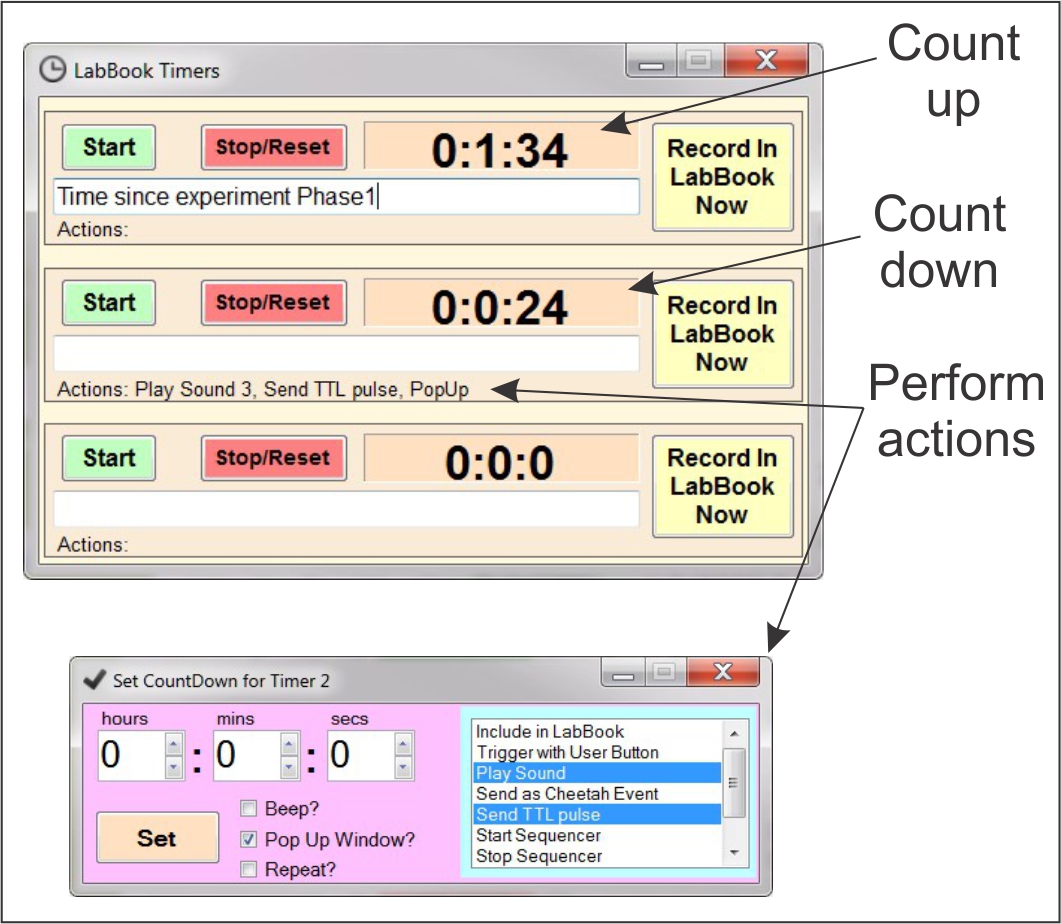
- The timer button in the bottom left corner of the home screen can set up to three timers to count up or down. In countdown mode, timers can trigger user-selectable actions/events (e.g. send a TTL pulse to Cheetah, play a sound, pop up a window)

- The counters button, also in the bottom left corner of the home screen, allows simultaneous scoring/counting on five different items (e.g number of times the rat stops, or rears up on the maze). All event are precisely timestamped.
- Connect LabBook to ZTracker, Cheetah (Neuralynx data acquisition), SoundPlayer, MATLAB, and more using the External Functions menu.
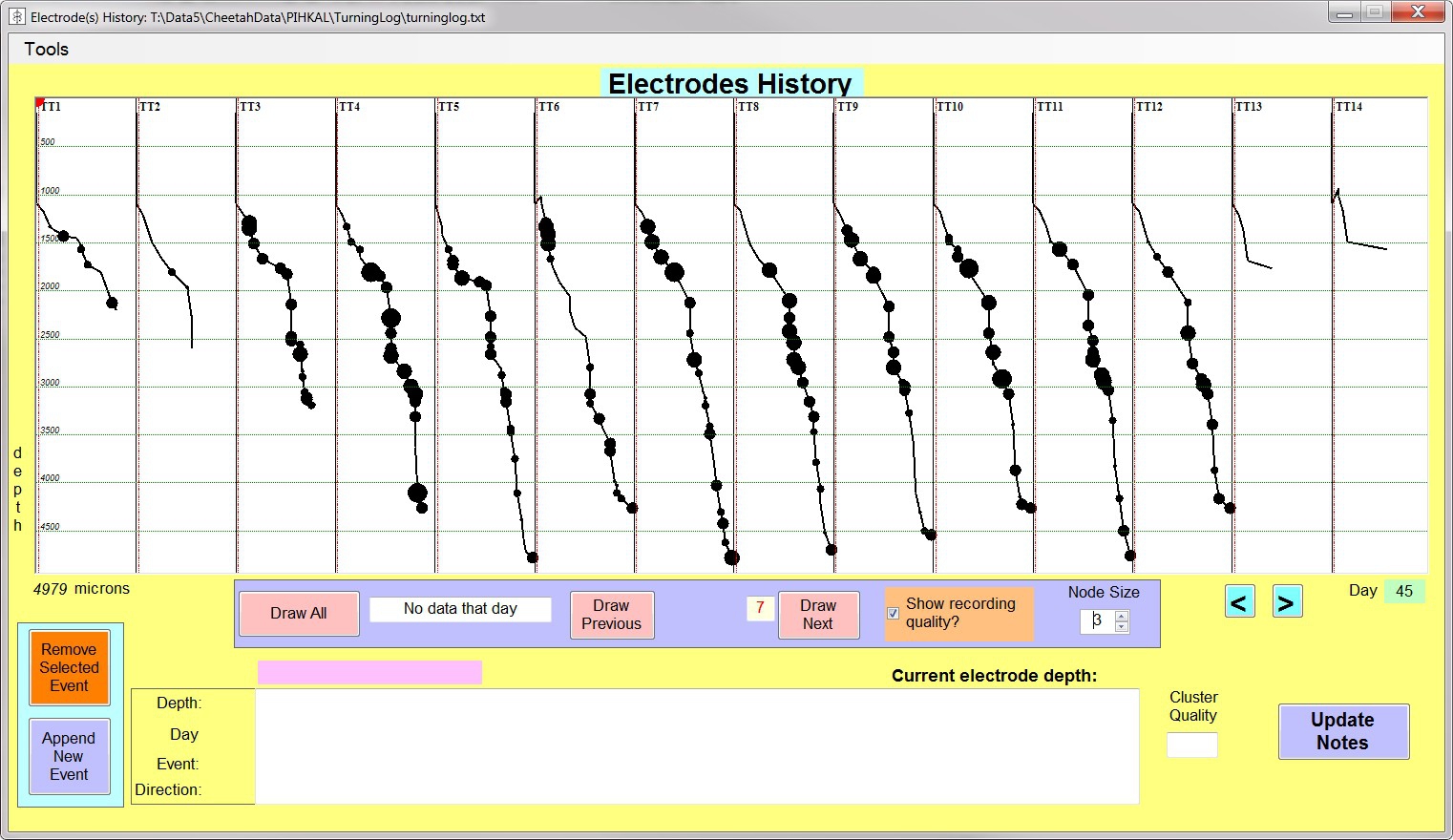
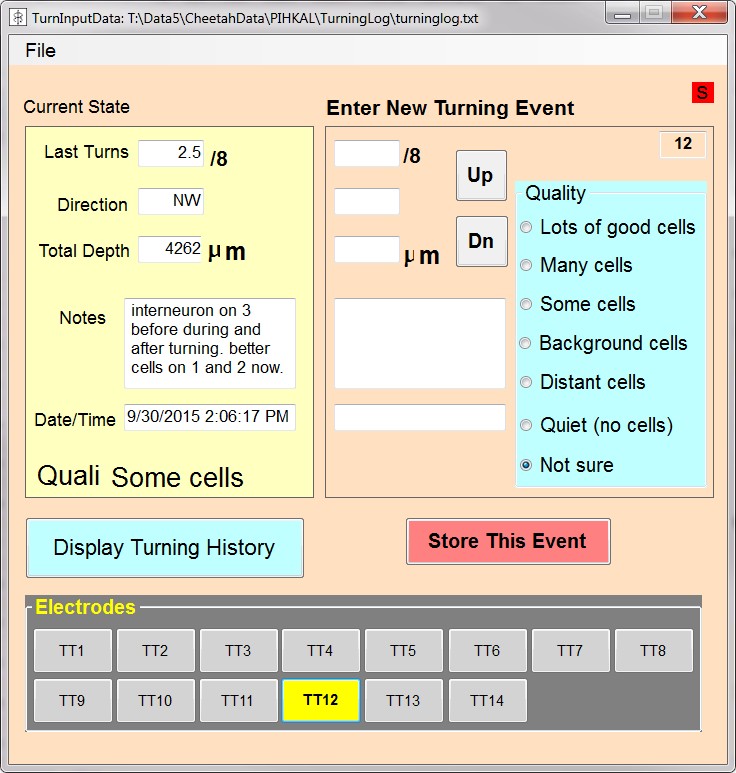
- Use the Electrode Turning functions to keep electrophysiology records (e.g. electrode depths, electrode turning history, recording quality).
- LabBook has a sequencer which allows for precisely timed events to occur and repeat (e.g. execute a script in Matlab, wait 10 seconds, send an event to Cheetah, play a sound, take a picture, wait 1 minute and repeat!)
- LabBook periodically saves itself and saves backup copies of the notes to ensure safe record keeping.
- LabBook can also connect to any webcam to take pictures or movies and link them to a given page. LabBook can connect to a microphone and take audio recordings. Many more functionalities are described in the manual and tutorial!
Enjoy, and let us know what you think!
Install Notes:
-
If, during install, you get an error of the type 'The installer was interrupted before LabBook could be installed', try to add the 'internet Information services' features (from the 'Turn windows features on and off' panel)
- If you have an older version you may need to install the Visual C++ 2012 redistributable (if you don't have it already). You can download it free from Microsoft. Just exectute it to install.
Brought to you by the Computational and Experimental Neuroscience Laboratory